For Elementary PrincipalsPrimary Headteachers

The AI lesson platform for elementaryprimary schools.

OneRoster provisioned. Institutionally controlled. School-branded. Interactive lessons built from your curriculum.

Or start free. No credit card required.

The reality you already know
53 hrs52.5 hrs
Average teacher's work week
RAND, 2024DfE Working Lives, 2024
50%90%
Schools reporting understaffingLeavers cite workload
NCES School Pulse Panel, 2024-25NFER Labour Market, 2025
22%13.5%
Chronic absenteeismPersistent absence
US Dept of Education, 2024-25DfE Pupil Attendance, 2024-25
2,98246%
Edtech tools per district, per yearSafeguarding blocks new edtech
LearnPlatform, 2025DfE Technology in Schools, 2024-25
  1. RAND, 2024DfE Working Lives, 2024
  2. NCES School Pulse Panel, 2024-25NFER Labour Market, 2025
  3. US Dept of Education, 2024-25DfE Pupil Attendance, 2024-25
  4. LearnPlatform, 2025DfE Technology in Schools, 2024-25

Your teachers are already using AI. The question is whether it's sanctioned.

Fits the curriculum you already teach

Drop in your scope and sequencescheme of work. Make objectives playable.

Llamaroo reformats your existing curriculum into engaging, story-driven lessons, without rewriting the plan you're accountable to.

Aligned withEureka Mathby Great MindsWhite Rose Mathsby White Rose Education

US K-6 curriculum providers

  • Great Minds
  • Savvas Learning
  • Houghton Mifflin Harcourt
  • McGraw Hill
  • Amplify
  • Curriculum Associates
  • Open Up Resources
  • Core Knowledge Foundation
  • Scholastic

UK KS1 & KS2 curriculum providers

  • White Rose Education
  • Pearson
  • Oxford University Press
  • Collins
  • Twinkl
  • Ark Curriculum Plus
  • Cornerstones Education
  • Kapow Primary
  • Hamilton Trust

Works with any K-6 adoption your district or school uses.Works with any KS1 or KS2 scheme your school follows.

How it works

Three easy steps

Because great lessons shouldn't take all term to roll out.

  1. Provision your whole school from one OneRoster file.

    Classrooms, teachers, studentsClasses, teachers, pupils in minutes. Review before import. Each teacher lands in the right classroom, with the right access.

  2. Restrict staff invites to approved email domains.

    Set up an approved-domain policy so nly staff on your domain can join. No personal emails, no compliance drift.

  3. See every classroom in your school from one directory.

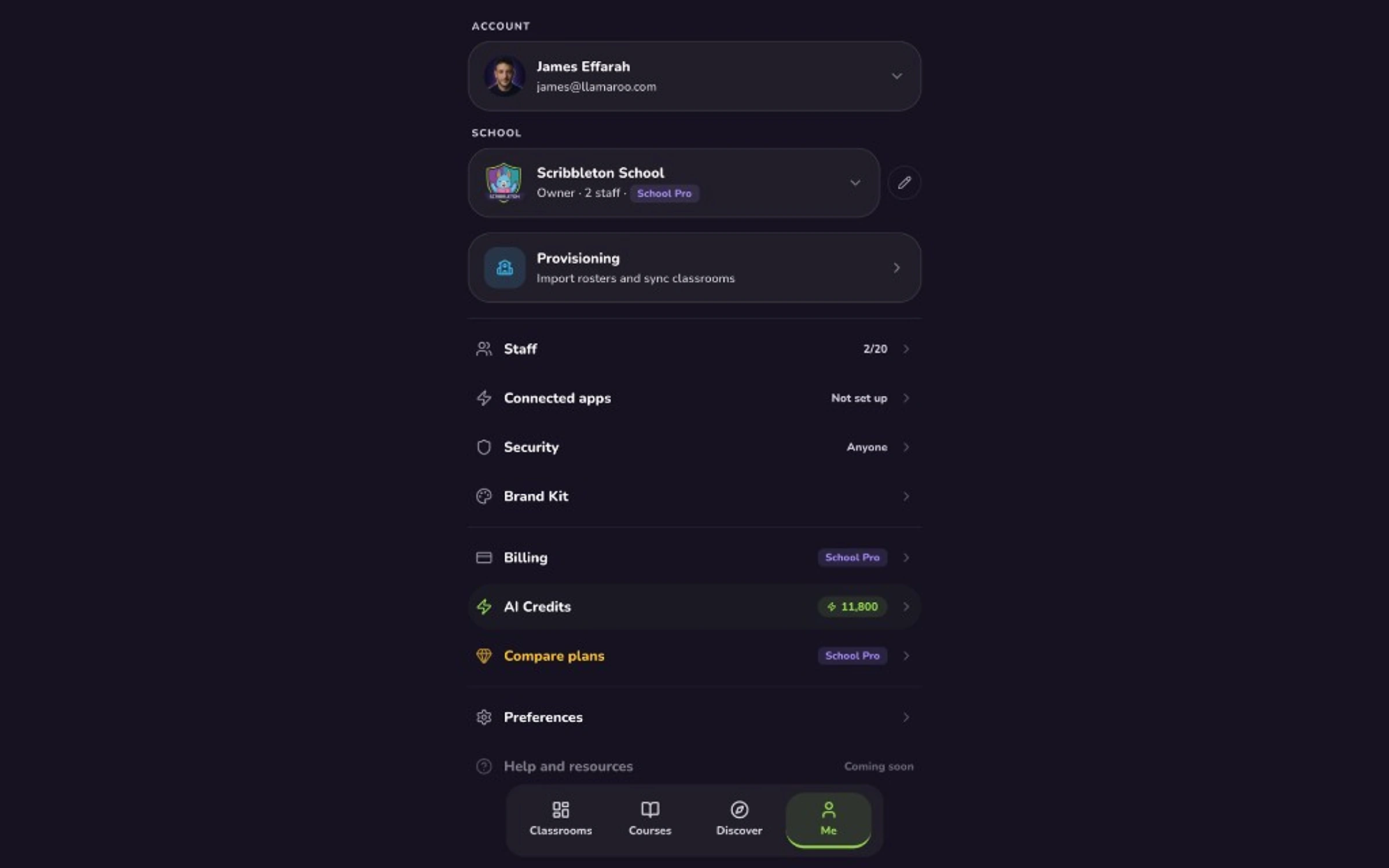
    Classroom progress, staff count, pending invites, billing state, all at a glance. Audit any classroom as an admin user.

Take the rollout tour

From OneRoster to live classrooms. In one morning.

Here's every screen that's relevant to the principalheadteacher on day one.

Welcome

The 10-minute rollout tour.

What your first morning with Llamaroo actually looks like. From OneRoster import, to domain policy, to the moment a studentpupil taps into a live classroom.

Use your keyboard arrows, or the dots under the stage, to move around.

Want a human to walk you through it? Book a walkthrough.

Time to first value

Most edtech rollouts take a term. Ours takes a few clicks.

We've been through enterprise edtech procurement. School Pro is the anti-pattern: self-serve, OneRoster in, teacher-ready by day's end.

The usual edtech rollout

~6 monthsone term lost
  1. Weeks 1-6

    Sales cycle + custom contract + DPA redlines.

    Multiple handoffs: sales engineer, then success manager, then solutions architect. Your legal returns round two in three weeks.

  2. Weeks 6-12

    Kickoff call. Proprietary roster format.

    Your roster CSV rejected three times. Custom field mapping. A shared spreadsheet nobody owns.

  3. Weeks 12-20

    Staff training marathons.

    Ninety-minute recorded videos. Live sessions scheduled during standardized testingSATs week. Half your staff skips.

  4. Week 20+

    Go-live, eventually.

    Tickets with a 48-hour SLA. Your main point of contact left the company. Still no classroom data for the boardgovernors.

The Llamaroo rollout

~1 dayself-serve
  1. 8:15am

    Sign up for School Pro. Workspace live in minutes.

    Your Brand Kit applied. Approved-domain policy on. No sales call. No contract to sign. Fully transparent Trust Center.

  2. 8:29am

    OneRoster import. Preview. Commit.

    Upload your OneRoster .zip file. Review every classroom, teacher, and studentpupil before anything commits. Fix any issues. Launch.

  3. 8:59am - End of day

    Teachers accept their invites.

    They explore Llamaroo, upload their materials, generate captivating lessons, make any final edits, and ship lessons their studentspupils actually want to engage with.

  4. Your next reviewgovernors' meeting

    Board-ready classroom data in hand.

    Track progress. Audit usage. Walk into your next reviewgovernors' meeting with evidence, not promises.

Frequently asked questions

Written for principals, assistant principals, and school business managersheadteachers, deputies, and school business managers. And the colleague they'll forward this to.

Beyond the AI Hype

4

Hours back per teacher, fewer subscriptions to renew, and classroom evidence you can show your boardyour governors and inspectors.

Teachers using AI for lesson planning save three to four hours a week (RAND American Educator Panel, 2024DfE, 2025). Across 20 staff that's 60+ hours back every week, reinvested in intervention, SPED, and feedbackintervention, SEND, and feedback. School Pro also covers the quiz, game, and worksheet tools schools typically already pay for, so once you factor in your current stack it's often not a net-new line item.

We don't claim to raise state test scoresSATs scores. That research doesn't exist yet, for any tool in the category.

What School Pro improves from day one: teacher time, lesson consistency, and classroom engagement. Those are the inputs that ladder to reading proficiency, chronic absenteeism, and teacher retentionKS2 attainment, attendance, and teacher retention, which are the metrics your board and state accountability systemgovernors and Ofsted actually watch. Your classroom directory surfaces real staffing and adoption per classroom, so the picture you bring to a review is grounded in your school's own numbers.

Free AI gets a teacher good lesson drafts. School Pro adds the school layer around it: studentpupil safeguards, provisioning, an audit trail, and your school's brand.

ChatGPT is fine for a teacher drafting a lesson. It doesn't give a school what a school needs around the AI: studentpupil safeguards so no child interacts with a model, OneRoster classroom provisioning, a record of what was generated, teacher access controls, your brand on every screen, and one contract. Many schools we work with already have teachers using free tools informally. School Pro is the step that brings that usage under school policy and keeps it consistent across classrooms.

The usual story runs the other direction here. A teacher finds Llamaroo, uses it with their class, and a principalhead brings in School Pro later to take it across the school.

Llamaroo grows bottom-up. A teacher finds us on the free plan or Teacher Pro, uses it with their class, sees results, and word spreads from there. School Pro is the step that comes after: roster provisioning, access controls, your brand on every screen, and one invoice for the whole staff.

Safety & AI

4

Class code plus a PIN you assign. No emails, no accounts, no photos, no date of birth.

Each classroom is walled off from every other. Sessions expire automatically. Teachers can revoke access at any time. Full mechanics in our public Children's Privacy Notice.

No. AI is strictly teacher-side.

AI only helps a teacher draft and adapt a lesson. StudentPupil answers, names, and progress never reach any AI provider. This matches the US Department of Education Office of Educational Technology's 2023 guidance on human oversight in AIthe DfE's Generative AI in Education policy (updated January 2025) and KCSIE.

Every lesson is teacher-reviewed. Children never talk to AI. Our trust documents are public.

Our Children's Privacy Notice, DPA, and compliance roadmap are all published at our trust center, linkable in one email. AI only helps your teachers plan. Every activity is teacher-reviewed before any child sees it. Data is stored in UK and EU jurisdictions (AWS eu-west - Dublin/London); our handling aligns with FERPA, COPPA, and major state student-privacy laws (state-by-state specifics at our trust center)UK GDPR and the Data Protection Act 2018.

FERPA and COPPA for student privacy; SOC 2 Type I readiness and state-law tracking on our public roadmapUK GDPR, the Data Protection Act 2018, KCSIE, and AADC; registered with the ICO, with Cyber Essentials and DfE data standards on our public roadmap.

We've shipped prior products through ISO 27001 and passed annual enterprise security audits. Current posture, open items, and target timelines are public at our trust center, with state-by-state notes on US student-privacy lawDPA mapping, KCSIE alignment, and AADC self-assessment alongside them.

Rollout & adoption

4

Runs alongside both. Not a replacement for your LMS or SIS.

Llamaroo is the gamified lesson layer, not another LMS. Teachers link to a lesson from wherever they already work: Google Classroom, Teams, or the school website. Roster provisioning uses the OneRoster 1.2 or 1.1 standard, supported by PowerSchool, Infinite Campus, Skyward, and most major SISSIMS, Arbor, Bromcom, and most major MIS.

Start with a single grade teamyear group. Expand when it works.

Most schools pilot with three to six teachers in one gradeyear. No disruption to the rest of your scheduletimetable. When it's working, you provision the rest of the school in an afternoon.

Yes.

We'll help you define success metrics, onboard the pilot teachers, and review results after a few weeks. No commitment to expand until you've seen the real data. Included on School Pro and Enterprise.

Differentiation is two clicks, per lesson.

Copy any lesson and adjust reading level, pacing, or difficulty on the fly. Your SPED and ELSEND and EAL learners stay in the same story as the rest of the class, at the right level, without a separate worksheet.

Plans & procurement

4

24 classrooms, 20 staff, 10,000 AI credits a month, school branding, roster provisioning, and approved-domain security.

That's the right shape for most elementary schools and independent elementary schoolsprimary schools and prep schools. Our pricing page has the full feature matrix, credit-usage math, and side-by-side comparison with Enterprise.

Try our Enterprise plan. Custom caps, pooled AI credits, dedicated SLA, and onboarding support.

Talk to us if you're a larger elementary, charter network, or district piloting across multiple siteslarger primary, multi-academy trust, or local authority piloting across multiple sites. We'll scope, pilot, and quote directly, with the procurement and onboarding support larger networks expect.

Yes. School Pro and Enterprise.

Most schools pay by card through our payment processor. If your procurement office wants a PO, we issue an annual invoice that lines up with your fiscal yearacademic budget cycle. Contract can precede payment, so approval windows don't block your pilot starting.

You keep everything. Full deletion available on request.

Downgrades keep your courses, classrooms, and progress in read-only form. Full data deletion on written request, confirmed in writing with a completion notice. Your content stays yours, period.

Ready for a school-wide rollout?

Bring Llamaroo to your whole elementaryprimary school.

Self-serve in a day with School Pro. Or talk to us about Enterprise for larger schools, charter networks, and district pilotsschools, MATs, and trust-wide rollouts.

Individual teachers can also start free. No credit card required.